
Apple Intelligence on iOS 18.1: Setup & Feature Walkthrough
Apple Intelligence is here on iOS 18.1: master on-device Writing Tools, photo Clean Up, and Siri's glowing redesign on your iPhone.
Topic guide
Apple's rollout of Apple Intelligence via the iOS 18.1 software update marks the company's first official deployment of on-device generative AI models integrated into consumer iPhone workflows. Engineered specifically for Apple Silicon (A17 Pro, A18, and A18 Pro chips with 8GB of unified RAM), this suite shifts mobile AI from cloud-dependent chatbots into localized, context-aware system utilities that preserve end-user privacy through on-device processing and Private Cloud Compute.
Core Feature Breakdown: Writing Tools, Clean Up, and Siri Evolution
- Systemwide Writing Tools and Text Proofreading: Embedded directly into text selection fields across Mail, Notes, Safari, and third-party apps, Writing Tools allows users to rewrite messages in professional, friendly, or concise tones, proofread grammar without cloud latency, and condense lengthy message threads into actionable summaries.
- Clean Up Tool in Apple Photos: Utilizing on-device diffusion segmentation models, the Clean Up feature detects distracting background photobombers, shadows, or unwanted objects with a single tap, infilling complex textures seamlessly without destroying surrounding image fidelity.
- Notification Summaries and Priority Sorting: Rather than presenting endless lock screen alerts, Apple Intelligence synthesizes notification stacks into concise executive summaries, highlighting urgent logistical alerts while filtering out conversational noise.
Activation Requirements and Hardware Prerequisites
Enabling Apple Intelligence requires joining the in-settings waitlist, ensuring device language is configured to supported locales, and reserving adequate internal storage for the local neural weights.
🎬 Activation Walkthrough & Top 10 Apple Intelligence Features
Apple Intelligence Setup Guide: Turning on AI Features on iOS 18.1
Clear step-by-step walkthrough covering the waitlist process, storage prerequisites, and initial device configuration.
Expand reference video (YouTube)
Top 10 Apple Intelligence Features Reviewed: Real-World Testing
Field tests of notification summaries, Safari article condensation, and smart email replies across daily productivity apps.
Expand reference video (YouTube)
Apple Intelligence Deep Dive: On-Device Silicon & Privacy Architecture
Explains how Apple Silicon executes machine learning weights locally without broadcasting user prompts to external servers.
Expand reference video (YouTube)
🎬 Clean Up Photo Tool & Practical Daily Use Cases #Shorts
25+ Apple Intelligence Features and Hidden Settings Explored
Comprehensive exploration of smaller tweaks including Type to Siri, audio recording transcription, and focus filters.
Expand reference video (YouTube)
How to Use Photos Clean Up Tool in 30 Seconds #Shorts
Quick 39-second tutorial showing how to circle and remove background objects in Apple Photos.
Expand reference video (YouTube)
Secret Clean Up Feature: Censoring Faces and Sensitive Details #Shorts
Demonstrates using the Clean Up brush to blur out confidential documents and facial identities in seconds.
Expand reference video (YouTube)
TuTu is still digging…
On-device 3-billion-parameter neural models ensure your emails, messages, and photo edits remain private while executing with zero cloud lag.
Keep exploring
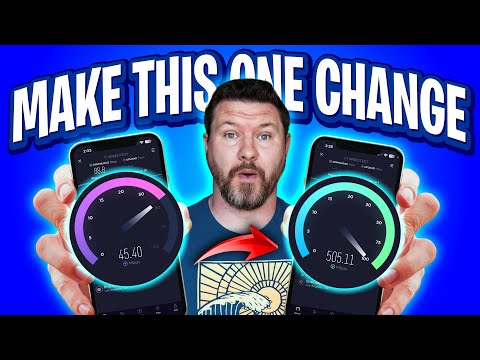
Mesh Wi-Fi Backhaul: Ethernet Ports and Slow Links
Wired your mesh Wi-Fi nodes with Ethernet but speeds are stuck around 90–100 Mbps? Join TuTu to trace port speeds, 8-wire Cat5e/Cat6 pinouts, switch loops, and negotiated link rates before buying another node.

US Flights With Power Banks: Packing and Airline Checks
Flying in the US with portable chargers or spare camera batteries? Join TuTu to separate FAA PackSafe watt-hour limits (100Wh vs. 160Wh), gate-checked bag traps, and airline-specific cabin storage rules.

iPhone Duo Display Cracking: Teardown, Dust & Warranty
Why are launch-week iPhone Duo inner displays cracking along the fold? Join TuTu to break down JerryRigEverything's durability test, iFixit's CT-scan teardown hotspot, sand ingress, case issues, and Apple's free replacement policy.

EPUB Library Loans: Formats, DRM and Accessibility
Borrowing digital library books often means running into mysterious .acsm files, DRM authorizations, and e-reader sync headaches. TuTu breaks down how EPUB loans work, from Adobe Digital Editions to Libby accessibility tools.
That’s this batch. More to explore another time.
This topic is AI-assisted and human-edited, and may contain errors or bias. If you own a featured video and do not want it displayed, please contact us.