
EPUB Library Loans: Formats, DRM and Accessibility
Don't let cryptic .acsm files or e-reader DRM locks stand between you and your library card! TuTu breaks down how EPUB loans actually work.
Topic guide
The Mystery of the .ACSM File: Why Isn't It Just a Book?
If you have ever clicked "Download EPUB" on your public library catalog and ended up with a tiny file ending in .acsm that your computer refused to open, welcome to the club! TuTu went down this exact digital rabbit hole. That little .acsm file is not actually the book itself—it is an Adobe Content Server Message token. Think of it like a claim ticket at a coat check: it tells Adobe Digital Editions (ADE) to verify your library checkout rights, ping the fulfillment server, and download the actual encrypted EPUB file wrapped in DRM protection.
At FindTuTu, we believe library books should be painless to enjoy on whatever screen fits your life. Navigating digital rights management (DRM) and vendor ecosystems can feel unnecessarily convoluted. Whether you are using a Kobo with built-in OverDrive, an Android-based E-ink tablet, or sideloading via a USB cable, understanding the handshake between your library card, your Adobe ID, and your reader device is the secret to hassle-free borrowing.
Beyond Device Wars: Accessibility and Tailored Reading
The beauty of the reflowable EPUB standard lies in how it adapts to you, not the other way around. Unlike static PDFs that force you to pinch and zoom, EPUB files let readers adjust text scale, line spacing, margins, and color schemes on the fly.
Inside apps like Libby, accessibility features go far beyond basic dark mode. You can toggle specialized fonts like OpenDyslexic, widen line spacing to prevent visual crowding, and leverage screen reader navigation with VoiceOver or TalkBack. In this curated collection, librarian walk-throughs and e-reader specialists walk you through every step of library loans—from setting up Adobe Digital Editions to unlocking assistive reading tools.
🎬 EPUB, ACSM Tokens and Adobe Digital Editions (ADE)
Adobe Digital Editions Setup: Authorizing Your Computer and Kobo
A crystal-clear library walkthrough showing how to install Adobe Digital Editions, authorize your computer, and drag borrowed EPUB files onto a plugged-in Kobo e-reader.
Expand reference video (YouTube)
Understanding ADE: Managing DRM Tokens, Sideloading and Loan Expirations
Breaks down what ADE does behind the scenes, explaining why digital library loans require token verification and how loan expiration dates lock the file automatically.
Expand reference video (YouTube)
Device Authorization: Resolving Adobe ID Mismatches on Dedicated Readers
Focuses on the crucial handshake step: ensuring both your computer software and your physical e-reader share the exact same Adobe ID authorization to prevent loan opening errors.
Expand reference video (YouTube)
🎬 E-Reader Sideloading and Ecosystem Lending (Kobo & Kindle)
E-Reader Ecosystem Breakdown: Kobo OverDrive vs Kindle Lending Restrictions
A direct comparison of borrowing library books across Kindle, Kobo, and general e-readers, explaining why geographic restrictions impact Send-to-Kindle library integration.
Expand reference video (YouTube)
Direct OverDrive on Kobo: Borrowing and Syncing Without Cables
Demonstrates the built-in OverDrive integration on modern Kobo devices, letting you browse your local library catalog and sync EPUB loans over Wi-Fi without needing a PC.
Expand reference video (YouTube)
Libby to Kindle Workflow: Amazon Account Routing and Loan Returns
Walks through borrowing in Libby and selecting 'Read with Kindle', illustrating how Amazon manages library checkouts seamlessly for US library patrons.
Expand reference video (YouTube)
🎬 Reading Accessibility: OpenDyslexic, Large Print & Spacing
Libby Reading Adjustments: Custom Fonts, Line Spacing and Dyslexia Support
Explores the built-in reading settings inside Libby, showing how to enable OpenDyslexic font, adjust spacing to prevent crowding, and customize background contrast.
Expand reference video (YouTube)
Decodable Books and OpenDyslexic: Visual Accessibility in Digital Libraries
Highlights accessibility-first borrowing, detailing how to pair decodable reading titles with enlarged text scales and weighted bottom-heavy font designs.
Expand reference video (YouTube)
More Picks Ready for You
TuTu Dug Up 3 More Related Videos
+3
Keep exploring

Math Error Logs: Concept Errors vs Calculation Slips
Stop writing 'be more careful' in your math notes. Join TuTu to build a practical math error log that uses worked examples to separate conceptual gaps from arithmetic slips, sign drops, and question misreads.
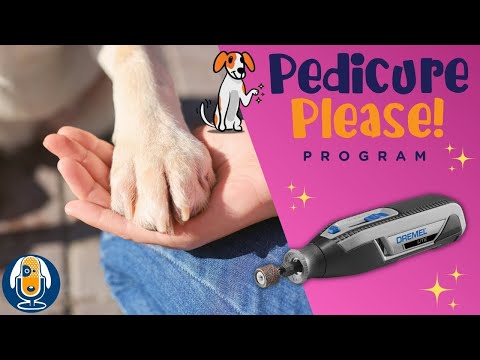
Dog Nail Care: Cooperative Training & Stop Signals Guide
Turn nail trims from a dreaded wrestling match into voluntary cooperative care. Learn how chin-rest consent cues, stop signals, and gradual desensitization keep your dog relaxed and safe.

Roman Concrete: Lime Clasts and Self-Healing Claims
Investigating the material science behind ancient Roman concrete, examining MIT's lime clast discovery, hot mixing thermodynamics, and what laboratory tests actually prove about crack self-healing.

Walking Bass: Chord Tones and Connecting Notes
Want your walking bass lines to groove instead of sounding like random scale drills? TuTu breaks down how to anchor harmony with roots and arpeggio chord tones on strong beats while weaving smooth chromatic and scale passing notes between chord changes.
That’s this batch. More to explore another time.
This topic is AI-assisted and human-edited, and may contain errors or bias. If you own a featured video and do not want it displayed, please contact us.