
Computational Photography vs ProRAW: Mobile Camera Guide
Ever wonder how a tiny smartphone sensor captures DSLR-like dynamic range? TuTu explores multi-frame HDR stacking, sensor physics, and mobile ProRAW grading! 📸✨
Topic guide
TuTu has collected videos on smartphone photography, from zoom behavior to RAW editing. 📸✨
Have you ever zoomed in on a photo taken with your smartphone and wondered why it looks surprisingly sharp from afar, but turns into a watercolor painting when you crop in? Or wondered how a camera sensor barely the size of a fingernail can capture a stunning night cityscape without blowing out streetlamps? In the golden age of DSLR and mirrorless cameras, optical glass, physical shutter mechanisms, and massive full-frame silicon dictated image quality. But in our pocket smartphones, physics hits a hard wall. Because phones cannot fit thick telephoto barrels or massive 35mm sensors without looking like awkward bricks, mobile photography stopped being about optics alone—it became an ongoing battle of computational algorithms. 📱💡
TuTu's Blindspot Quiz: What Happens When You Tap 3x Zoom?
Before we dive into sensor science, here is a quick brain teaser from TuTu! 👀
When you are in a dimly lit restaurant and tap the "3x" or "5x" button on your phone, are you always shooting through that dedicated telephoto glass?
- Yes, the phone hardware physically forces the telephoto lens to activate every time.
- No! If the lighting drops below a specific threshold, your phone secretly keeps shooting with the larger main sensor and crops in digitally, because the telephoto aperture lets in too little light!
- The phone disables digital processing and saves an unedited thumbnail.
If you guessed Option 2, you are spot on! As Marques Brownlee reveals, your phone camera makes millions of micro-decisions behind your back. It prioritizes clean exposure over pure optics, silently cropping the primary sensor to spare you from a noisy, grainy telephoto disaster!
Decoding Computational RAW: Why ProRAW Changes the Game
Every single time you tap the shutter, your phone doesn't just take one photo. It silently buffers anywhere from 9 to 15 frames across varying exposure brackets, fusing underexposed highlights and long-exposure shadows through neural engines in milliseconds. While standard JPEGs bake in heavy sharpening and compressed 8-bit color, shooting in formats like Apple ProRAW or computational DNG gives you the best of both worlds: multi-frame noise reduction paired with 12-bit color depth (68 billion colors!) and zero baked-in tone mapping. By pulling these files into Lightroom Mobile, you can dial back artificial edge sharpening, recover true dynamic range, and take full creative control over your pocket camera. Let's explore the science with top engineers and visual creators below! 🎨🔍
🎬 The Physics of Mobile Sensors: Multi-Frame Stacking and AI Pipelines
How smartphone cameras ACTUALLY work!
Mrwhosetheboss breaks down the physical architecture of mobile camera sensors versus traditional dedicated lenses. At 07:43, he demonstrates why digital zoom degrades image fidelity compared to native optical focal lengths, and at 15:19, he reveals how computational HDR silently buffers between 9 and 15 frames to reconstruct dynamic range beyond a small sensor's physical limits.
Expand reference video (YouTube)
Smartphone Cameras vs Reality!
Marques Brownlee investigates how computational photography is fundamentally bending reality rather than merely capturing photons. At 00:27, he shows how smartphones override user selections to crop into the primary sensor in low light, and at 05:58, he explains multi-camera shutter synchronization, where background algorithms merge high-speed ultrawide captures to eliminate face motion blur entirely.
Expand reference video (YouTube)
🎬 Computational RAW Decoded: Apple ProRAW vs Native Bayer Sensor RAW
ProRaw vs. JPEG: The Hidden Setting Every iPhone Photographer Needs | All Things Mobile
CNET explains why switching from 8-bit standard JPEGs to 12-bit Apple ProRAW unlocks 68 billion color gradations, completely eliminating color banding in sunset gradients. At 00:50, the host details why selecting JPEG XL Lossy delivers identical highlight and shadow recovery latitude as uncompressed RAW while cutting storage consumption by nearly 75 percent.
Expand reference video (YouTube)
ProRAW vs RAW on iPhone 13 Pro Max // I've Changed my Mind!
Photographer David Addison tests pure unadulterated sensor RAW against computational Apple ProRAW. At 03:23, he demonstrates how pulling down Apple's default tone mapping slider and disabling aggressive sharpening in Lightroom provides a clean, neutral baseline, allowing mobile creators to retain massive computational dynamic range without the sterile, over-processed smartphone look.
Expand reference video (YouTube)
Apple ProRAW - Let’s See What It Can Do!
Lee Zavitz puts Apple ProRAW through extreme exposure torture tests across low-light alleys and high-contrast skies. At 04:26, he highlights the remarkable noise reduction achieved through multi-frame Deep Fusion stacking compared to third-party sensor RAW, and at 07:02, demonstrates pulling back blown-out skies and crushed shadow details from the ultrawide camera.
Expand reference video (YouTube)
🎬 Maximizing Dynamic Range: Mobile Lightroom RAW Grading Workflows
My iPhone 14 Pro RAW Editing Workflow using Lightroom Mobile
Street photographer Evan Ranft walks through his professional mobile RAW workflow inside Lightroom Mobile. At 03:19, he shares his layered local masking technique, using radial and graduated linear filters to steer viewer eye movement toward the subject while preserving 48MP sensor textures and suppressing harsh algorithmic highlights.
Expand reference video (YouTube)
iPhone 15 Pro RAW Lightroom Mobile Editing Workflow 📱
Zac Watson breaks down a complete Lightroom Mobile color grading workflow for 48MP mobile RAW files. At 04:20, he reveals his signature technique of desaturating dirty yellow casts in street captures, and at 08:08, demonstrates pulling back clarity and texture sliders to counteract aggressive smartphone over-sharpening.
Expand reference video (YouTube)
More Picks Ready for You
TuTu Dug Up 4 More Related Videos
+4
Apple ProRAW vs JPEG: Why you HAVE to shoot RAW on iPhone
The Google Pixel 4, Apple iPhone 11 Pro, and the rise of Computational Photography | Upscaled
Computational photography will COMPLETELY revolutionize your smartphone camera
Beginner RAW Photo Editing to Get You Started Like a Pro
Keep exploring

Visible Denim Mending: Match the Repair to the Tear
Don't throw out your favorite blown-out jeans! TuTu rounds up expert sashiko, boro patching, and crotch darning techniques to reinforce structural stress points while turning fabric rips into wearable art.
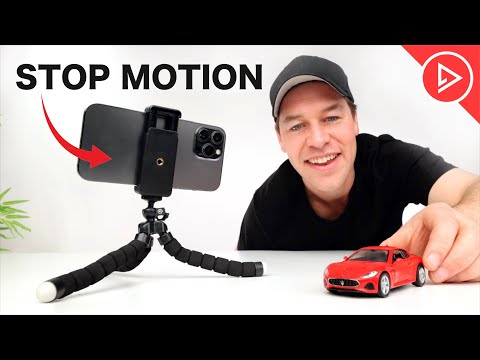
Phone Stop-Motion: Frame Rate, Onion Skinning and Rigging
Turn your smartphone into a miniature animation studio! Master camera lock-off, manual exposure, onion-skin alignment, optimal frame rates, and simple rig removal for smooth stop-motion.

Bonsai Basics: Nursery Stock, Akadama Soil & Repotting
Ready to start your first bonsai without accidentally killing it? Join TuTu for a beginner-friendly breakdown of garden center nursery stock selection, Akadama and pumice soil mixes, root pruning, and seasonal watering.

Bonsai Styling: Copper Wiring, Canopy Pads, Jin & Shari
Ready to transform healthy pre-bonsai stock into miniature ancient trees? Join TuTu for an advanced bonsai styling guide covering structural wiring, Shimpaku juniper canopy pads, and carving realistic Jin and Shari deadwood.
That’s this batch. More to explore another time.
This topic is AI-assisted and human-edited, and may contain errors or bias. If you own a featured video and do not want it displayed, please contact us.