
Home Lab & Self-Hosting Guide: Build Your Private Cloud NAS
Break free from cloud storage subscriptions: how to build a resilient, private home lab NAS powered by Docker.
Topic guide
In an era dominated by recurring monthly cloud subscriptions, unexpected service deprecations, and expanding privacy concerns, self-hosting has surged into a thriving movement among tech enthusiasts. Establishing a personal home lab is no longer restricted to enterprise sysadmins; modern network-attached storage (NAS) solutions and containerized deployment tools make creating a private, local-first cloud achievable for anyone with an old PC or dedicated mini server.
Foundational Hardware and Storage Architecture
- Repurposed Hardware vs Pre-Built NAS: Beginners can easily start by repurposing an idle mini PC (such as an Intel N100 or Mac mini) or investing in an turnkey enclosure from Synology or UGREEN. The primary objective is quiet, low-power 24/7 operation with dual drive redundancy (RAID 1 or ZFS mirror).
- Containerization via Docker & Compose: Gone are the days of manually compiling dependencies on bare-metal Linux. Docker encapsulates services into isolated, reproducible containers. Defining services through a simple
docker-compose.ymlfile allows you to spin up or tear down complex applications in seconds. - Essential Self-Hosted Services:
- Data Sync & Storage: Nextcloud or Immich to replace Google Photos and iCloud.
- Media Management: Plex or Jellyfin to stream high-bitrate media across home devices.
- Network Security: Pi-hole or AdGuard Home for network-wide DNS filtering and tracker blocking.
Secure Remote Access Without Port Forwarding
Exposing home IP addresses directly to the open internet invites automated bot scans and brute-force attacks. Utilizing zero-trust mesh VPNs like Tailscale or Cloudflare Tunnels grants encrypted remote access to internal home lab dashboards from anywhere in the world without opening a single router port.
🎬 Hardware Selection, Storage & NAS Foundations
So You Want a NAS? The Beginner's Complete Guide to Home Servers
An exceptional introductory overview explaining drive redundancy, power consumption, and whether you need custom hardware vs turnkey NAS.
Expand reference video (YouTube)
Fast-Track NAS Setup Guide for Beginners: Hardware & Storage Pools
Fast-paced, highly visual guide breaking down hard drive installation, RAID pooling, and initial operating system setup.
Expand reference video (YouTube)
DIY Home Lab Masterclass: NAS, Docker Containers & Local Backups
Demonstrates how to build a flexible home lab using affordable hardware, covering both network configuration and local file serving.
Expand reference video (YouTube)
🎬 Docker Containerization & Self-Hosted Services
The Only Docker Tutorial You Need: Images, Containers & Volumes
Demystifies containerization without unnecessary jargon, explaining how ports, environment variables, and persistent volumes interconnect.
Expand reference video (YouTube)
15 Must-Have Docker Containers to Upgrade Your Home Lab Experience
Curated review of premier self-hosted tools including Portainer, Uptime Kuma, Vaultwarden, and automated backup daemons.
Expand reference video (YouTube)
Top 5 Starter Docker Containers for Any New Home Server Setup
Practical selection of the first five essential services to launch, emphasizing easy maintenance and immediate everyday utility.
Expand reference video (YouTube)
TuTu is still digging…
Pairing lightweight mini PCs with Docker and Tailscale allows you to run self-hosted photo backups and ad-blocking without exposing home ports.
Keep exploring
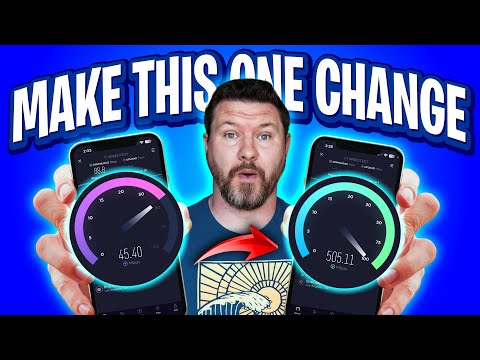
Mesh Wi-Fi Backhaul: Ethernet Ports and Slow Links
Wired your mesh Wi-Fi nodes with Ethernet but speeds are stuck around 90–100 Mbps? Join TuTu to trace port speeds, 8-wire Cat5e/Cat6 pinouts, switch loops, and negotiated link rates before buying another node.

US Flights With Power Banks: Packing and Airline Checks
Flying in the US with portable chargers or spare camera batteries? Join TuTu to separate FAA PackSafe watt-hour limits (100Wh vs. 160Wh), gate-checked bag traps, and airline-specific cabin storage rules.

iPhone Duo Display Cracking: Teardown, Dust & Warranty
Why are launch-week iPhone Duo inner displays cracking along the fold? Join TuTu to break down JerryRigEverything's durability test, iFixit's CT-scan teardown hotspot, sand ingress, case issues, and Apple's free replacement policy.

EPUB Library Loans: Formats, DRM and Accessibility
Borrowing digital library books often means running into mysterious .acsm files, DRM authorizations, and e-reader sync headaches. TuTu breaks down how EPUB loans work, from Adobe Digital Editions to Libby accessibility tools.
That’s this batch. More to explore another time.
This topic is AI-assisted and human-edited, and may contain errors or bias. If you own a featured video and do not want it displayed, please contact us.